Protect your data from unauthorized access
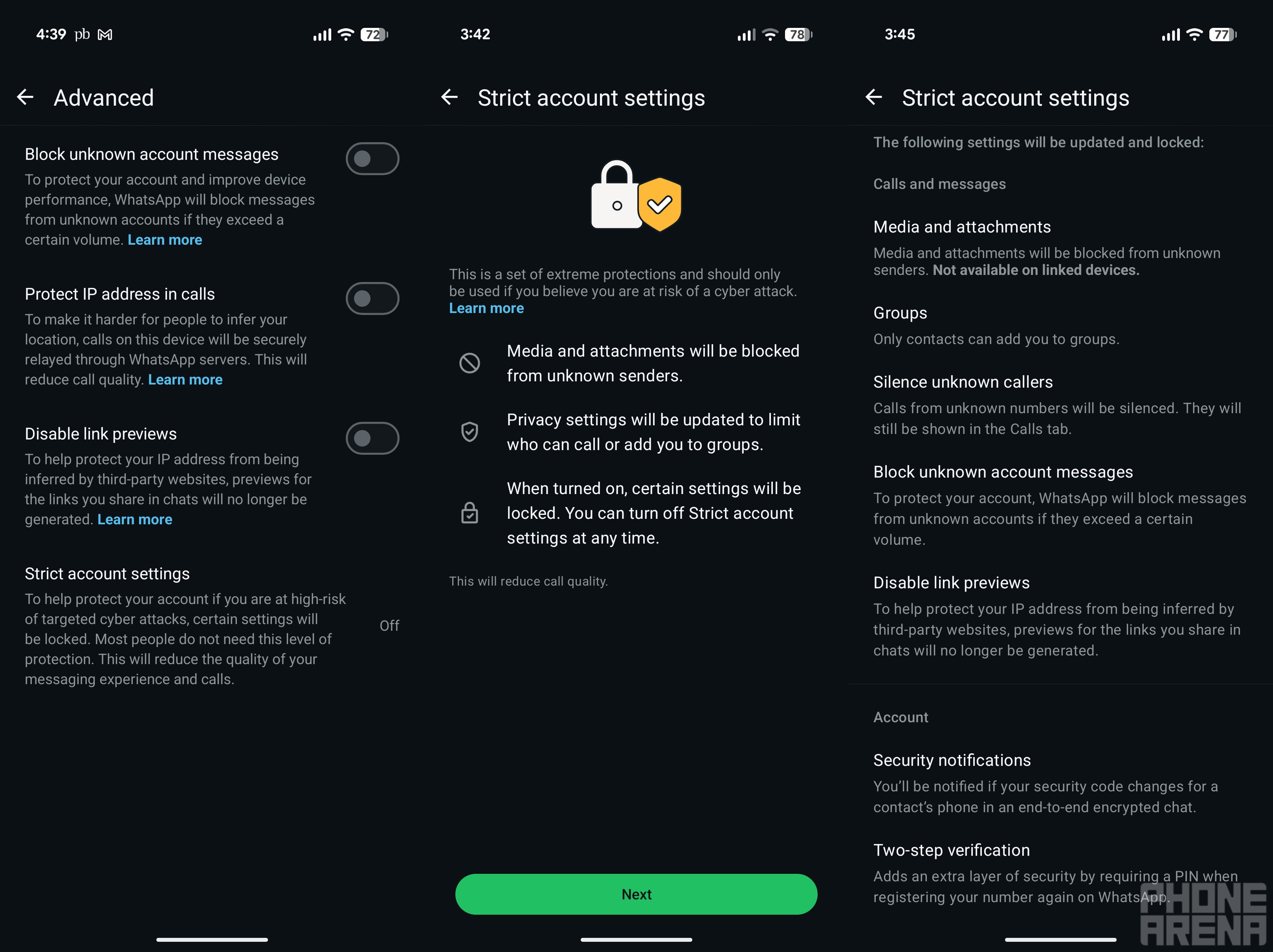
In addition to offering end-to-end encryption for all your personal messages, WhatsApp already provides plenty of privacy-related features such as App Lock, Chat Lock, read receipts, and others. Meta is expanding the list by introducing a new extreme-protection feature called Strict Account Settings to WhatsApp.It has been introduced to protect you from sophisticated cyberattacks. Once you enable it, WhatsApp will automatically block any media and attachments you receive from unknown accounts. Additionally, the platform will silence calls from unknown contacts, disable link previews, and prevent unknown contacts from adding you to groups.
The option is turned off by default. Here's how to enable it:
- Open the WhatsApp Settings menu and then navigate to Privacy > Advanced > Strict account settings
- Choose Next
- Tap Turn On and then select Turn On again from the popup to confirm.
Under the Advanced section, there are separate toggles for disabling link previews and blocking messages from people you don't know. That means you also have the option to enable just these privacy settings instead of the Strict Account Settings, which add an extreme protection layer to your account.
Which of these messaging apps gives the highest priority to users' privacy?
The feature is coming at an interesting time
That said, if you use WhatsApp, I highly recommend enabling the new setting. To further strengthen your privacy, you can also take advantage of the Lockdown Mode feature if you have an Apple device. And if you own an Android smartphone, like me owning the Pixel 10, you can enable the Advanced Protection Mode that was introduced to the platform last year with Android 16.
Meta says that it will start rolling out the feature in the coming weeks. It's worth noting that you can enable or disable it only through your primary device, not through WhatsApp Web.